gerai in your Start — Mobile and.
gerai Mobile App Live Casino App - Blackjack & Roulette
Desktop sportsbooks have served players for years, but mobile-first platforms like gerai shift the balance toward accessibility—smaller screens, lower bandwidth, and session flexibility. Our gerai mobile app runs on both Android and iOS, streaming live tables in HD or adapting to slower connections, so you maintain play continuity whether you are in Jakarta, Surabaya, or Bandung.

- DownloadAPK
- StartFirst Game
- LoginOTP Verification
- and
This guide covers what the gerai mobile app offers: live-dealer table streaming, slot spinning, sportsbook betting, esports markets, account management, and deposit/withdrawal flows via DANA, e-wallet, mobile banking, local payment, and bank transfers. We explain how our app handles low-bandwidth sessions, session persistence across devices, and how to navigate gerai's interface on a phone screen.
Understanding the gerai mobile app
The gerai mobile app combines live-table streaming, slot gaming, sportsbook markets, and account management into a single interface optimized for phones. We build separate clients for Android (via APK download or Google Play Store where available) and iOS (via App Store). Both apps sync your account in real time—balance, transaction history, game settings, and preferences flow seamlessly between devices.
What distinguishes the gerai app from desktop play is adaptation. Our app detects your connection speed and adjusts video quality automatically. On a fast 5G or WiFi connection, live tables stream in full HD with multiple camera angles. On slower 4G or 3G networks, we compress the video without losing game clarity, so you never disconnect mid-session. For slots and sportsbook betting, data usage is minimal because these games rely on minimal graphics overhead.
The gerai app also prioritizes battery efficiency and session recovery. If your phone loses signal mid-game, the app saves your session state. When connection returns, gerai resumes your table or game exactly where you left off—no lost balance, no abandoned session. This resilience is crucial for players across Indonesia where network stability varies regionally.
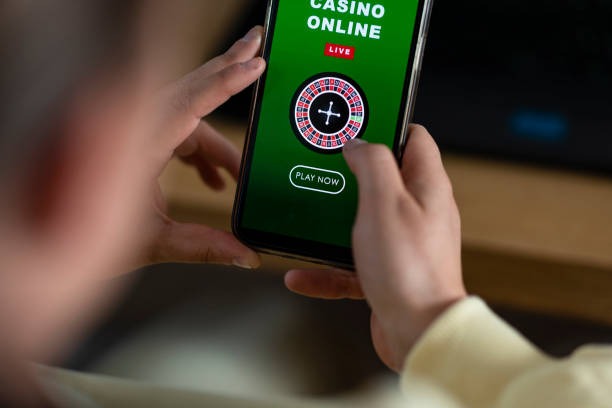
App installation and account linking
Android users download the gerai app either from the Google Play Store or via a direct APK link on our website. iOS users find gerai on the Apple App Store. Installation takes under subject to verification. On first launch, you either log in with existing gerai credentials or register a new account with email or phone number.
Once logged in, the gerai app fetches your account balance, game history, and preferences. If you already played gerai on desktop, your app instantly recognizes your account and shows your current balance. This single-wallet design means you can transition from phone to computer without losing track of your funds or session state.
Live table streaming on the gerai app
Our gerai app prioritizes live-table performance. When you tap a blackjack, roulette, or baccarat table on the app, we establish a connection to our studio server and stream the live feed. The app displays the dealer, cards or wheel, betting layout, and other players' activity in real time. On a phone screen, we scale the interface so betting buttons remain thumb-friendly while the table view stays clear and legible.
Video quality on the gerai app adjusts dynamically. Your first connection might be 1080p HD if your network allows; if bitrate drops, we automatically scale to 720p or 480p to maintain smooth playback. You never see a spinning buffer wheel mid-session. Additionally, the gerai app reduces latency by routing streams through geographically local servers, so players in Jakarta experience lower lag than a distant data centre would provide.
- Adaptive bitrate
- The gerai app monitors your connection speed and adjusts video compression in real time, keeping playback smooth without manual quality selection.
- Multi-camera feeds
- Premium gerai tables offer 2–4 camera angles on the app. Tap to switch between wide table view, close-up dealer hands, or overhead wheel spin.
- Session state save
- If the gerai app loses connection, your active table session pauses and resumes when network returns, preserving your balance and game position.
Audio on gerai live tables comes through your phone speaker or connected headphones. The app lets you mute dealer commentary or keep it on for atmosphere. This control is important for players who want to watch gerai tables during commutes or office breaks without disturbing others around them.
Slot and sportsbook play on the gerai app
Slots on the gerai app load instantly because they run on your phone's processor rather than streaming video. Tap Aviator, Sweet Bonanza, Gates of Olympus, Fortune Tiger, or Mahjong Ways, and the game interface appears within 1–2 seconds. Spin outcomes are determined server-side but displayed locally, so responsiveness feels immediate.
Sportsbook betting on the gerai app updates live during matches. When a Liga 1 game is underway, odds refresh every few seconds. The app shows current match statistics (score, possession, recent events) alongside available bet types. Tap a bet, enter your stake, confirm—and gerai processes your wager instantly. Settlement occurs post-match, with winnings crediting to your balance within standard verification windows.
The gerai app also features esports markets (Mobile Legends, Free Fire, PUBG Mobile) and special events during Piala Indonesia or Piala AFF tournament periods. Push notifications alert you to featured matches or odds shifts if you enable them in app settings. This keeps gerai top-of-mind during peak betting windows without requiring constant app checking.

Notifications and app settings
gerai app users can customize notifications to suit their play style. Enable alerts for specific sports (Liga 1, Piala AFF, MotoGP), specific esports leagues (MPL, Free Fire tournaments), or high-odds shifts. Disable all notifications if you prefer browsing the app on your own schedule.
Settings on the gerai app also control video quality, audio preferences, language (English or Bahasa Indonesia), and responsible-play reminders. You can set session time preferences and receive app prompts if you exceed them, though gerai does not enforce hard limits—your account controls rest entirely with you.
Deposit methods on the gerai mobile app
The gerai app supports all eight payment channels available on our desktop site: DANA, e-wallet, mobile banking, local payment, online payment, e-wallet, and bank transfers (mobile banking, local payment, online payment, e-wallet). Tap the "Deposit" button in the app, select your preferred method, and follow the on-screen prompts.
mobile banking and local payment deposits are fastest on the gerai app. Select your method, confirm the amount, and the app redirects you to your payment app (online payment app, e-wallet app, or SMS verification). Approve the transfer, and the gerai app returns to your account with your new balance posted within seconds. No manual confirmation needed.
mobile banking and local payment work similarly—authorize in your respective app, and gerai credits your balance instantly. For bank transfers (online payment, e-wallet, mobile banking, local payment), the gerai app generates a unique virtual account number valid for 24 hours. Copy the number, open your banking app, send funds to that VA, and gerai detects the deposit and credits your account immediately once our banking partner confirms receipt.
Deposit minimums on the gerai app start around a few thousand rupiah—enough for multiple slot spins or low-stake live table rounds. Maximums scale with account verification status and play history. First-time users may see lower ceilings that increase after successful verification and withdrawal activity, a structure designed to protect both new players and our platform from rapid account depletion.
The gerai app online paymentdges live-table richness with mobile convenience—streaming HD studios, adapting to your connection, and syncing your balance across devices.
Withdrawal and account management on the gerai app
When you win and want to cash out, the gerai app makes withdrawal requests simple. Tap "Withdraw," select your destination payment method (e-wallet, mobile banking, local payment, online payment, e-wallet, or bank account), enter the amount, and confirm. The gerai app submits your request to our backend, where we verify your account and process the payout.
Withdrawal timing varies by method on the gerai app. mobile banking and local payment typically clear within 1 hour. Bank withdrawals may take 1–4 hours depending on your institution's processing queue. The gerai app keeps you informed—you see the withdrawal status in real time, with timestamps and confirmations as your payout moves through our system.
Account management on the gerai app includes balance history, game history, transaction logs, and deposit/withdrawal records. You can also update your password, verify or re-verify your identity (KYC), and manage linked payment methods. If you forget your gerai login credentials, the app offers account recovery via email or phone number.
On your first withdrawal from the gerai app, we may request identity verification if you have not already completed KYC. This involves photographing your valid ID (passport, national ID card, driver's license) and confirming your name and address. KYC typically completes within a few hours. After your first verification, subsequent withdrawals process faster without re-verification.
Data usage and bandwidth on the gerai app
The gerai app is designed for low-data play. Live table streams compress intelligently based on your connection. HD streams on fast WiFi or 5G might use 1–2 MB per minute, while adaptive SD streams on slower 4G use 0.3–0.5 MB per minute. Slot games and sportsbook betting use minimal data—typically under 100 KB per spin or bet.
If you are on a limited data plan, the gerai app offers a "low-bandwidth mode" toggle in settings. This prioritizes stream stability over video quality, ensuring you never drop mid-game even on 3G networks common in some areas around Medan, Semarang, or smaller Indonesian cities. Many gerai players in regions with variable network stability rely on this feature.
The gerai app also caches game graphics and UI elements on first use, so repeated play of the same slot or table visit uses less data than the initial download. Over weeks of play, the app's local cache becomes optimized, further reducing overall bandwidth consumption.
Cross-device play and account sync on gerai
Your gerai account is one unified wallet across the mobile app, desktop browser, and any other gerai client. If you deposit on the app, your balance updates instantly on desktop. If you win on a live table via desktop, the app shows your new balance immediately without requiring a refresh or re-login.
This unified architecture is particularly useful during sports seasons. You might place a Liga 1 sportsbook bet on desktop, then switch to your phone during a break and play slots on the gerai app using the same account balance. No separate wallets, no transfer delays—one balance, synchronized across all platforms.
Session persistence also spans devices. If you are mid-game on the gerai app and switch to desktop, gerai recognizes your active session. You can resume on desktop or return to the app—the game state and your balance sync automatically. This fluidity makes gerai feel like one cohesive platform rather than separate mobile and desktop products.
Support and troubleshooting on the gerai app
The gerai app includes a built-in help centre with FAQs, game rules, payment method instructions, and troubleshooting guides. Tap the "Help" icon, and you access articles in English or Bahasa Indonesia covering common issues: deposit delays, verification steps, withdrawal hold-ups, and technical problems.
If the gerai app help centre does not resolve your issue, you can contact our support team directly through an in-app chat feature. Support staff respond in English and Bahasa Indonesia during active hours. They can walk you through deposit or withdrawal issues, help verify your account, or investigate stalled transactions.
For technical problems specific to the app itself—crashes, connection drops, or interface bugs—gerai support can advise on app updates, cache clearing, or reinstallation. Most app issues resolve after updating to the latest version, which you can do directly from your phone's app store.
The gerai mobile app reflects player behaviour—most engagement happens on phones during breaks, commutes, and casual gaming windows. Our app prioritizes reliability, low bandwidth, and seamless account sync to keep play friction-free.
Getting started with the gerai mobile app
To begin with the gerai app, download it from Google Play Store (Android) or Apple App Store (iOS). Installation takes under subject to verification. On first launch, create a gerai account with an email or phone number, verify your contact info, and set a password.
Your first deposit can happen immediately through online payment, e-wallet, or mobile banking—all process within seconds. Alternatively, generate a bank virtual account for local payment, online payment, e-wallet, or mobile banking transfers. Once your account is funded, tap any live table, slot, or sportsbook market and begin play. The gerai app guides you through each step with prompts and tooltips.
Services on gerai are available only where local law permits. Users are responsible for verifying that access and use of the gerai mobile app comply with their own jurisdiction's applicable regulations. After setup and verification, you gain access to all game categories—live tables, slots, sportsbook, esports markets, and specialty games—streaming and syncing seamlessly across your phone and desktop devices.